
How to Clean Smart Home Devices Without Damaging Them

Last modified on: 18/08/2026
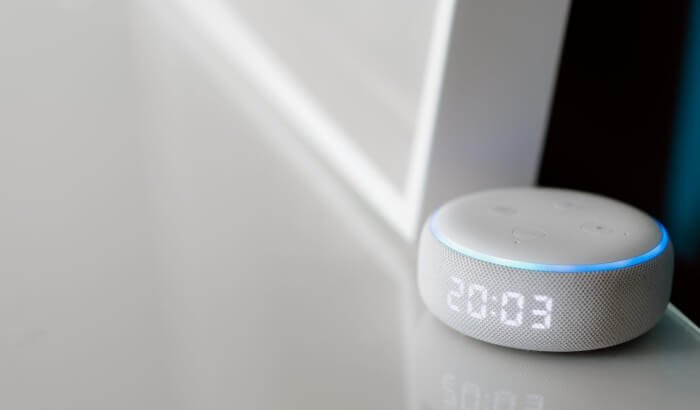
How to clean smart home devices safely depends on the exact model, its power source and the material under your cloth. Begin with a dry, clean microfibre cloth. Add moisture or a cleaning product only when the manufacturer’s instructions allow it for that specific surface.
A method that is permitted on the hard top of one smart speaker may be prohibited on its fabric mesh. The same split applies to coated displays, camera lenses, thermostat grilles, charging contacts and wall-mounted controls. Treat each part as a separate surface instead of using one electronics-cleaning mixture across the home.
Key takeaways
- The model instructions decide whether water, alcohol, soap or another product may touch a surface.
- Dry dust removal is the safest starting point for most accessible device exteriors.
- Fabric, coated screens, camera lenses, vents and charging contacts need different handling.
- Never spray a device directly or force a tool into a microphone, port or sensor opening.
- Stop after liquid ingress, battery swelling, exposed wiring, overheating or an unexplained fault.
Table of Contents
How to clean smart home devices starts with the exact model
Look for the model name in the app, on the base, beneath a removable cover or in the purchase record. Search the manufacturer’s support site for that model and the word cleaning. A family name alone may be too broad because generations can have different fabrics, finishes, seals and battery arrangements.
Write down the permitted method before starting. If the instructions mention a damp cloth, that does not automatically authorise a household cleaner or disinfectant. If they allow an alcohol wipe on one surface, do not extend that permission to the mesh, lens, cable or display.
| Device or surface | Start with | Check before doing more | Main failure to avoid |
|---|---|---|---|
| Smart speaker body | Dry lint-free cloth | Whether a damp cloth is allowed on the hard exterior | Moisture entering seams or controls |
| Fabric speaker grille | Light dry dusting | The model’s approved tool and direction | Snagging fabric or pushing dirt inward |
| Smart display | Clean dry microfibre cloth | Coating-safe moisture or product instructions | Streaks, coating wear and liquid at the bezel |
| Camera or doorbell lens | Optics-safe lint-free cloth | Whether water or lens solution is permitted | Scratches, residue or moving the camera |
| Thermostat or sensor | Dry exterior wipe | Power state and grille restrictions | Liquid around vents or fixed wiring |
| Charging contact or port | No liquid; follow the device instructions | Approved dry tool and shutdown state | Bent contacts or debris pushed deeper |
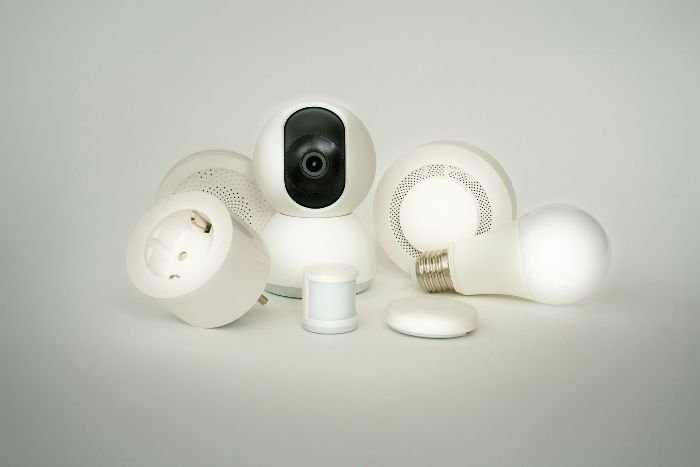
Set the right power state before the cloth touches the device
For a plug-in speaker, display or camera, follow the manufacturer’s shutdown and unplugging sequence. Remove accessories only when the instructions permit it. Pull the plug by its body, not by the cable, and place the adapter where it cannot be splashed during nearby cleaning.
A battery-powered camera or remote may need to be switched off without removing the battery. Sealed rechargeable batteries should stay sealed. Stop if the casing has lifted, the battery looks swollen, the device feels unusually hot or the charging area shows corrosion.
Wall-mounted thermostats, smart switches, alarms and wired doorbells add a fixed-electrical boundary. Do not remove a faceplate, disconnect wiring or open a housing because dust is visible at an edge. Use only the owner-level procedure stated for the exact model. Arrange qualified help when access involves wiring or an unexplained electrical fault.
Clean speakers and fabric without driving dirt into the grille
Move the speaker to a clean, dry work surface if it is portable. Wipe the hard exterior first so loose debris does not transfer onto the fabric. Fold the cloth to expose a clean section as soon as it picks up grease. Heavy pressure can polish a matte finish or move dirt into a seam.
Do not assume that a lint roller, vacuum nozzle, brush or compressed-air can is suitable for every grille. Adhesive can pull fibres, suction can stress fabric, bristles can catch a weave, and a strong air stream can drive particles through an opening. Use one only when the manufacturer names that method.
Apple’s current HomePod instructions show why surface boundaries matter. Apple permits certain disinfecting wipes on the top surface, excludes the mesh fabric, and prohibits household cleaners, aerosols, compressed air, solvents, ammonia and abrasives. That is a model-specific permission, not a recipe for other speakers.
Protect displays and coated surfaces from residue and pressure
Use a freshly laundered microfibre cloth with no trapped grit. Support a portable display so it does not slide, then wipe with light overlapping strokes. Do not scrape a dried food mark with a fingernail, card or tool.
For a stubborn mark, follow the exact display instructions. Apply any permitted water or product to the cloth, not to the screen. The cloth should be damp enough to loosen the mark without releasing drops when pressed. Keep its wet edge away from the bezel, microphone holes and controls.
Repeated rubbing can be more damaging than the original fingerprint. Pause if the cloth drags, the finish changes, a mark appears beneath the surface or the screen flexes. A crack, lifted coating or gap at the bezel needs device support before more cleaning.
Keep lenses, microphones, ports and sensors clear
A camera lens needs an optics-safe cloth rather than the cloth used on the device body. Lift loose grit with the permitted method before wiping, since dragging one hard particle across a lens can leave a permanent mark. Hold an outdoor camera or doorbell stable and avoid changing its viewing angle.
Google’s current device-specific advice separates thermostats, cameras, doorbells, speakers, displays and alarms. It permits different cloths and liquids for different products, warns against household glass cleaner on camera lenses and tells users to unplug speakers and displays before cleaning.
Ports, microphone holes and sensor slots are not grooves to dig out. Do not use a toothpick, pin, wet cotton bud or improvised metal tool. If the manufacturer provides an approved dry-cleaning method, follow its direction and depth limits. Persistent blockage or unreliable operation belongs with device support.
Check cables, adapters and charging areas separately
Inspect the cable jacket, plug body and power adapter after disconnecting them as instructed. A dry cloth can remove loose surface dust. Stop if a cable is split, a pin is bent, the adapter is discoloured or a connector feels loose. Cleaning cannot correct electrical or mechanical damage.
Clear crumbs and liquid from the shelf or worktop before returning the device. Reconnect only after the permitted damp-cleaned surfaces and the surrounding area are dry. Route the cable so it is not pinched beneath furniture, pulled tight around a corner or exposed to a fresh spill.
Treat thermostats, switches and alarms as installed equipment
Dust the accessible exterior and the surrounding wall separately. Start at the top and keep the cloth flat so its edge does not enter a grille. Never spray the wall near a device and allow mist to drift across it. If wall cleaning needs moisture, protect the device according to its instructions and keep the cloth controlled.
Smoke and carbon-monoxide alarms are life-safety equipment. Their approved test, cleaning and replacement procedures take priority over a household routine. Do not paint them, cover their openings or silence a repeated warning because the unit looks dusty. Use the manufacturer or a qualified installer when the indicated procedure goes beyond an external wipe.
Cleaning and disinfection are different decisions
Cleaning removes dust, fingerprints and other visible soil. Disinfection uses an approved product for a defined contact time on a compatible surface. A product label does not prove compatibility with a particular screen coating, speaker fabric or camera lens.
Start by deciding whether ordinary cleaning is enough. The same distinction applies across household high-touch surfaces. Electronics add tighter moisture and coating limits. Never mix products or transfer an unidentified liquid into an unlabelled spray bottle.
You may also enjoy:

Keep motorised cleaning devices in their own maintenance routine
Robot vacuums and mops contain wheels, brushes, bins, filters, charging contacts and navigation sensors. Their care is more involved than wiping a speaker or thermostat. Use the model’s maintenance sequence and keep the broader vacuum maintenance task with its dedicated owner.
Do not wash a filter, wet a contact or remove hair from a powered brush merely because another model permits it. Disconnect the device as instructed, wait for moving parts to stop and reinstall only clean, fully dry components that the manual identifies as removable.
How Samyx Cleaning can help around connected devices
Smart devices often sit beside the dust, cooking film and fingerprints that collect on shelves, worktops, skirting boards and accessible household touchpoints. Samyx regular domestic cleaning can cover agreed surrounding surfaces and accessible external dusting within the booked scope.
Tell the team which devices should not be touched and provide any model-specific restriction before the visit. The service does not include dismantling electronics, opening ports or battery compartments, internal cleaning, repair, calibration, software work, network security or treatment of a damaged device.
Book Regular Domestic Cleaning
Enter your postcode to view our rates and availability in your area.

Frequently asked questions
-
Can I use alcohol to clean a smart home device?
Only when the instructions for the exact model and surface permit it. A manufacturer may allow an alcohol wipe on one hard surface and prohibit it on fabric, lenses, coatings or accessories. Do not use a universal alcohol-and-water mixture across different devices.
-
Can I vacuum dust from a smart speaker or thermostat?
Do not assume that low suction is safe. A nozzle can stress fabric, disturb a sensor or pull at a small component. Use vacuum suction only when the exact manufacturer procedure names it and explains where and how it should be used.
-
How often should smart home devices be cleaned?
Use visible dust, fingerprints, kitchen film, pet hair and the device location as triggers, then follow its maintenance instructions. A device near cooking or an entrance may need attention sooner than one in a low-use room. There is no universal weekly schedule for every model.
-
What should I do if liquid gets inside a smart device?
Stop cleaning and do not power, charge or test the device. Disconnect it only when that can be done safely, keep it away from heat and follow the manufacturer’s liquid-ingress or support route. Exposed wiring, overheating, smoke, a burning smell or battery swelling needs urgent qualified attention.
Important: This information covers routine external household cleaning. The instructions for the exact device, power supply, battery, coating and installed location take priority. Stop after liquid ingress, a cracked or lifted casing, battery swelling, exposed wiring, overheating, smoke, a burning smell, repeated alarm fault or persistent malfunction. Do not open or test a damaged device; use the manufacturer, a qualified electrician or the appropriate specialist.
Author: Svetlana Georgieva (Clara)
Hi, I’m Svetlana Georgieva, but you can call me Clara. As the co-founder and heart behind Samyx Cleaning, I’m devoted to sharing the art of a clean space. Let’s journey into a cleaner, more joyful life together with tips from London's cleaning experts.

Discover more of our cleaning secrets: